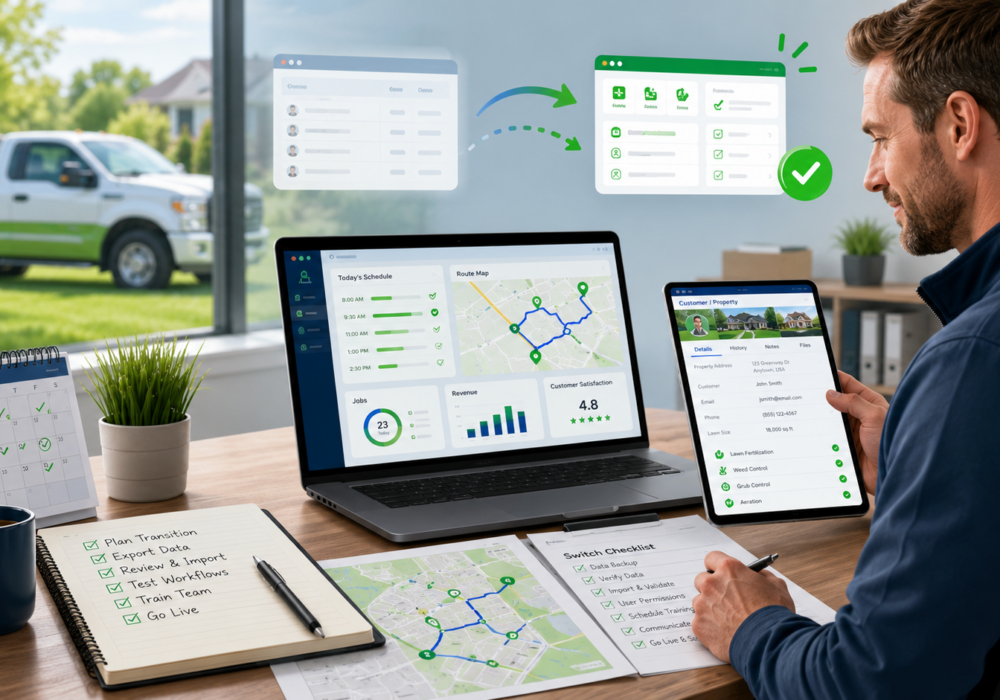
Switching lawn care business software can feel overwhelming—especially when your lawn care company already has customers to serve, routes to manage, employees to train, invoices to send, and an entire season to prepare for.
Even when you know your current software is holding your business back, changing systems can seem like one more major project you do not have time to handle.
You may be wondering:
- How long will the switch take?
- Will my customer information transfer correctly?
- How will I learn a completely new system?
- Will my employees resist the change?
- What if the transition disrupts our operations?
- Would it be easier to wait until next year?
These are reasonable concerns. Switching software does require planning, time, and involvement from your team. However, delaying the change often means continuing to deal with the same inefficiencies, workarounds, and frustrations that made you consider switching in the first place.
The key is not to avoid the transition. It is to plan it at the right time and understand what the process will involve before you begin.
Why Lawn Care Companies Put Off Switching Software
Most companies do not stay with outdated or frustrating software because they believe it is the best option. They stay because switching feels harder than continuing with what they already know.
Here are some of the most common reasons lawn care businesses delay making a change.
“We Don’t Have Time to Switch”
Implementing new software does take time. Your company will need to gather information, make decisions about how the new system should be configured, review transferred data, and learn new workflows.
But it is also important to consider how much time your current processes are costing you.
Are employees entering the same information in multiple places? Is your team manually building routes, tracking chemicals, sending reminders, processing payments, or updating spreadsheets? Are you frequently correcting preventable mistakes or answering customer questions caused by disconnected systems?
A software transition is a temporary project. Inefficient processes cost your company time every week.
The goal of switching is not simply to replace one system with another. It is to create a more efficient way to operate as your business grows.
“It Seems Too Complicated”
A new software platform can feel intimidating because it requires you to rethink familiar processes.
Even if your current system is inefficient, your team knows how to use it. They have learned where everything is located, developed workarounds for its limitations, and become comfortable with its quirks.
New software may initially feel more complicated simply because it is unfamiliar.
That does not necessarily mean the system is difficult to use. It means your team is moving through a normal learning process.
Most employees do not need to learn every part of the software at once. Office staff, technicians, managers, salespeople, and owners will each use different features. Training is more manageable when it focuses first on the workflows each person needs to perform their job.
“We’re Worried About Moving Our Data”
Your customer and property data are among your company’s most valuable assets. It is understandable to be cautious about transferring that information into a new platform.
A typical data migration may include information such as:
- Customer names and contact information
- Billing and property addresses
- Property measurements
- Customer notes
- Programs and services
- Customer-specific pricing
- Account balances
- Tags or customer categories
- Notification preferences
- Service areas and assigned routes
The exact information that can be transferred will depend on your current software, how your data is organized, and the capabilities of the new platform.
Before choosing a provider, ask for a clear explanation of its data migration process. You should understand what information can be imported, what format is required, what may need to be entered manually, and how you will review the data before launching.
A well-managed migration should include time for your team to verify important information rather than assuming every record is perfect immediately.
“Our Employees Won’t Want to Change”
Team resistance is one of the most common concerns during a software transition.
Employees may worry that the new system will make their job harder, expose mistakes, change their responsibilities, or require them to learn new technology during an already busy period.
Communication is essential.
Explain why the company is making the change and how the new system is expected to improve employees’ daily work. Whenever possible, connect the transition to specific frustrations your team already experiences.
For example:
- Technicians may have easier access to property information and service instructions.
- Office staff may spend less time entering payments or sending repetitive messages.
- Managers may have better visibility into scheduling, production, and account status.
- Sales staff may be able to create and follow up on estimates more efficiently.
Employees are more likely to support the change when they understand how it will help them—not just how it will help management.
It can also be helpful to involve key employees in the implementation process. Asking for their input can uncover important workflow details and create internal advocates for the new system.
“This Isn’t a Good Time”
There may never be a week when your lawn care company has nothing else happening.
However, there is an important difference between choosing a manageable transition period and waiting until the last possible moment.
For highly seasonal lawn care companies, the weeks immediately before the season begins are usually one of the worst times to start switching software.
At that point, your team may already be:
- Finalizing renewals
- Updating customer pricing
- Hiring and training seasonal employees
- Preparing vehicles and equipment
- Ordering products
- Building routes
- Responding to customer calls
- Sending estimates
- Scheduling the first round of services
Adding a rushed software implementation during this period can make the transition far more stressful than necessary.
When Is the Best Time to Switch Lawn Care Software?
The best time to begin switching is generally during a slower operational period, several months before your busiest season starts.
This gives your company time to:
- Complete the data migration
- Configure programs and services
- Review customer pricing
- Set up billing and payment options
- Customize notifications
- Train office employees
- Train technicians
- Test important workflows
- Correct data issues
- Become comfortable with the system before production increases
For many lawn care companies, that means evaluating software during the summer or early fall and beginning implementation well before renewal and preseason activity reaches its peak.
Your exact timeline will depend on the size and complexity of your business. A small company with straightforward services may be able to transition relatively quickly. A larger company with thousands of properties, multiple branches, complex billing arrangements, or extensive historical data will usually need more preparation.
Do not assume you can wait until a few weeks before your first applications and complete the entire process without creating unnecessary pressure.
Starting earlier gives your team room to learn thoughtfully rather than simply trying to survive the launch.
What Actually Goes Into Switching Lawn Care Software?
Knowing what to expect can make the process feel much less intimidating.
Although every software provider has a different implementation process, most transitions include several common stages.
1. Evaluating Your Current Processes
Before configuring a new system, take time to identify how your company operates today.
Document the processes you use for:
- Selling and renewing programs
- Creating customer and property records
- Measuring properties
- Scheduling services
- Building routes
- Assigning technicians
- Recording chemical applications
- Completing services
- Sending customer notifications
- Creating and sending invoices
- Collecting payments
- Managing prepaid accounts
- Handling past-due balances
- Tracking inventory
- Reviewing business performance
This is also an opportunity to identify processes that should not be carried into the new platform.
Companies sometimes recreate every old workflow in the new software—even when those workflows only existed because of limitations in the previous system.
Ask why each process exists and whether the new platform provides a better approach.
2. Preparing Your Data
Your current data may need to be exported, cleaned up, or reorganized before it can be imported.
This may involve:
- Removing duplicate customers
- Correcting outdated contact information
- Standardizing service names
- Reviewing inactive accounts
- Confirming property measurements
- Identifying unusual pricing arrangements
- Separating prospects from active customers
- Resolving incorrect account balances
- Deciding which historical information needs to be retained
Data preparation may not be the most exciting part of the transition, but it is extremely valuable.
Moving inaccurate or unnecessary information into the new system can create confusion later. A software switch gives your company an opportunity to improve the quality of its records rather than simply transferring every existing problem.
3. Configuring the New Account
Once your data and processes have been reviewed, the new software must be configured around your business.
Depending on the platform, this may include setting up:
- Programs and individual services
- Pricing structures
- Production rates
- Service intervals or seasonal windows
- Employees and permissions
- Branches, divisions, or service areas
- Sales tax rates
- Products and application rates
- Customer notifications
- Invoice settings
- Payment processing
- Renewal options
- Reporting preferences
- Integrations with other systems
This stage requires input from someone who understands how your business operates.
It is usually helpful to assign an internal implementation owner. This person does not need to complete every task personally, but they should coordinate decisions, gather information from different departments, attend implementation meetings, and keep the project moving.
4. Migrating and Reviewing Your Information
After the data is prepared, it can be imported into the new platform.
Your team should then review a sample of records and important totals. This may include checking:
- Customer contact information
- Property addresses
- Property sizes
- Assigned programs and services
- Customer-specific pricing
- Notes and tags
- Account balances
- Notification settings
- Employee assignments
No migration should be treated as a completely hands-off process.
Your software provider should help with the technical work, but your team knows your customers and business rules best. Reviewing the transferred information together helps identify issues before they affect live operations.
5. Learning the New Software
Software training is most effective when it is divided into manageable stages.
Trying to learn every feature in a single training session can leave employees feeling overwhelmed. Instead, focus first on the processes your team must understand before launch.
For office employees, that may include:
- Finding customer records
- Adding new customers and properties
- Creating estimates
- Scheduling services
- Processing payments
- Sending invoices
- Updating account information
For technicians, the initial training may focus on:
- Viewing assigned work
- Accessing property notes
- Recording materials used
- Completing services
- Documenting weather or application details
- Adding notes and photos
Advanced reporting, automation, inventory, marketing tools, and optional features can often be introduced after the team understands the core workflows.
Learning software is not a single event. Even after formal training, employees will become faster and more confident through repeated use.
6. Testing Before Launch
Before fully moving away from your previous system, test the workflows that are most important to your business.
Create test customers, estimates, services, invoices, payments, routes, and notifications. Have employees complete the same tasks they will perform once the system is live.
Testing helps answer questions such as:
- Are services priced correctly?
- Are technicians seeing the information they need?
- Are invoices being created as expected?
- Are customer messages accurate?
- Are employee permissions set correctly?
- Are products and application rates configured properly?
- Are reports showing the information management needs?
The goal is not to eliminate every possible question before launch. It is to confirm that your core processes work and that your team knows where to get help when questions arise.
7. Choosing a Launch Date
Choose a launch date that gives your company enough time to complete training and testing without allowing the project to lose momentum.
Avoid launching during your busiest operational week whenever possible.
You should also decide how your team will use the old system after the transition. Some companies retain access temporarily for historical reference while conducting all new work in the new platform.
Try to avoid operating both systems fully for an extended period. When employees are allowed to choose between platforms, information can quickly become divided and inconsistent.
A clear transition date helps everyone understand which system is now the source of truth.
How Long Does It Take to Become Comfortable With New Software?
Your team will not feel completely comfortable on the first day—and that is normal.
Employees may initially take longer to perform familiar tasks because they are thinking through each step. They may need to ask questions or refer back to training resources.
That does not mean the transition is failing.
Confidence develops as employees repeat the same processes and begin to understand how different parts of the system work together.
Setting realistic expectations can prevent unnecessary frustration. Instead of expecting everyone to become an expert immediately, establish a few practical goals:
- Employees know how to complete their essential daily tasks.
- Team members know where to find training resources.
- Employees know who to ask when they need help.
- Problems are documented and addressed consistently.
- Additional features are introduced gradually.
The first few weeks should be viewed as an adjustment period, not a test of whether the software was the right decision.
How to Make the Switch Less Stressful
A successful transition depends as much on planning and communication as it does on the software itself.
Start Earlier Than You Think You Need To
Beginning the process early gives your team time to make thoughtful decisions and correct issues without the pressure of an approaching season.
Assign an Internal Project Owner
Choose someone who can coordinate the transition and make sure tasks do not fall through the cracks.
Keep Your Team Informed
Explain what is changing, why the company selected the new platform, when the change will happen, and how training will work.
Clean Up Your Data
Do not automatically move every duplicate record, outdated note, inactive customer, or unnecessary service into the new system.
Focus on Essential Workflows First
Your team does not need to master every feature before launch. Prioritize the processes employees use every day.
Test Realistic Scenarios
Testing your actual workflows will reveal more than simply clicking through the platform during a demonstration.
Use the Resources Available to You
Take advantage of implementation meetings, knowledge base articles, training videos, support resources, and recorded sessions provided by your software company.
Expect a Learning Curve
A temporary slowdown is normal when employees begin using a new system. Build room for questions and reinforce the correct processes.
The Cost of Waiting
It is easy to focus on the short-term effort involved in switching software while overlooking the long-term cost of staying with a system that no longer fits your business.
Waiting may mean another season of:
- Repetitive administrative work
- Inefficient routes
- Manual chemical tracking
- Disconnected customer communication
- Billing complications
- Limited reporting
- Preventable mistakes
- Difficulty training new employees
- Software that cannot support your growth
Switching platforms is a significant decision, and companies should evaluate their options carefully. But fear of the transition should not be the only reason you remain with a system that is no longer serving your business.
With the right preparation, timing, training, and support, switching software can be a manageable project—and the beginning of a much more efficient way to run your lawn care company.
Considering a Switch to SPRAYE?
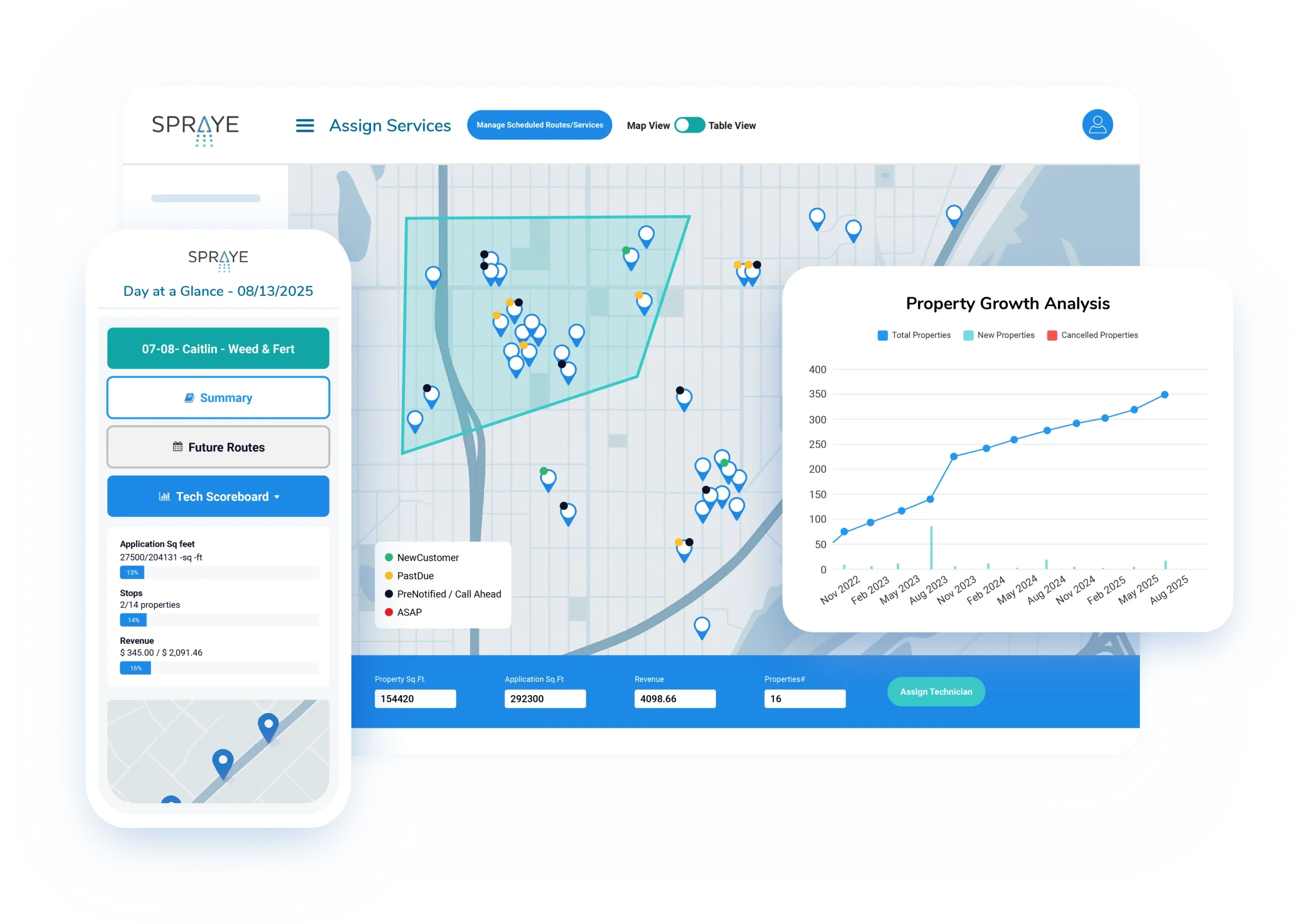
SPRAYE is built specifically for lawn care companies that provide recurring treatment services such as weed control, fertilization, mosquito control, pest control, and other chemical applications.
Our team helps new users through the transition, including account setup, data migration, training, and preparation for launch.
The sooner you begin evaluating your options, the more time you will have to make the transition before your busiest season.
Schedule a demonstration to see how SPRAYE could support your lawn care business.